

Mac OS X Lion install is done as of today. If you upgrade your system and want to keep the installation file from the AppStore Download make a copy of it before starting the install process. After Lion is installed the huge file downloaded from http://itunes.apple.com/de/app/os-x-lion/id444303913?mt=12 will be deleted.
Warning: there is no Rosetta emulation layer any more – so all PowerPC programs on your system will not be running any more.
… and do plan some time for getting used to the new feature called „natural scrolling“ 🙂
Create your own QR codes with the Google Charts API

Quick Response Codes a.k.a. QR Codes are appearing everywhere. How do they work? Simply point your smartphone camera with a QR app running to the logo and you will automatically be shown the encoded text or forwarded to a website. With the above QR code you will be redirected to this homepage. If you want to make your own QR code this can be easily done with the Google Charts API. Simply point your browser to https://chart.googleapis.com/chart?chs=150×150&cht=qr&chl=SOME+TEXT+OF+YOUR+OWN&choe=UTF-8 and replace the text with whatever you want. For the QR above I used https://chart.googleapis.com/chart?chs=150×150&cht=qr&chl=http://www.cubewot.de&choe=UTF-8. For spaces use the plus sign. That’s it.
Unofficial LEGO® Minifig Guide
On Brickset there is a comprehensive review of the unofficial minifigure guide that just appeard on minifigure.org. The book can be bought either in hardcover (quite expensive at USD 89 64 USD) or on lulu.com for about 14 EUR in the Adobe Digital Editions format.

For LEGO® enthusiasts a.k.a. AFOLs money well spent.
Druckerwarteschlange unter Mac OS X leeren
Wenn unter Mac OS X sich die Druckerwarteschlange nicht leeren lässt hilft folgendes Kommando weiter:
- Terminal aufrufen
- Eingabe von: cancel -a
- Fertig!
Falls es immer noch nicht klappt kann mit „sudo cancel -a“ und anschließend dem Administratorpasswort der Befehl mit erweiterten Rechten wiederholt werden.
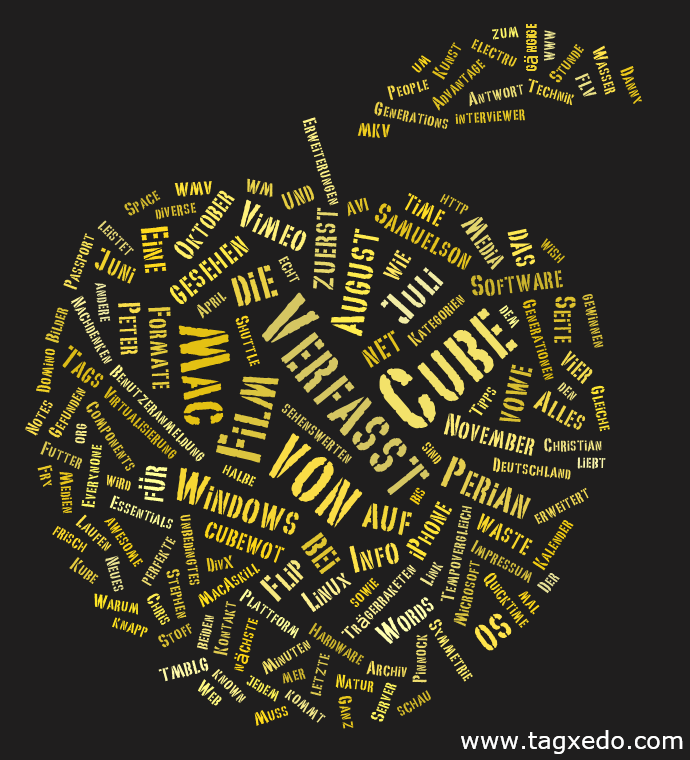
Tagclouds erstellen mit Tagxedo
Neues Futter für den Server – Domino 8.5.2
Ganz frisch auf Passport Advantage…

Mac Essentials: Perian und Flip4Mac
Ein unbedingtes Muss auf jedem Mac sind die beiden Erweiterungen Perian von perian.org sowie Flip4Mac von Microsoft Media Components.

Perian erweitert Quicktime um gängige Formate wie AVI, DivX, FLV, MKV und diverse andere Medien
Flip4Mac leistet das Gleiche für die Windows Media Formate WMV.
Warum Deutschland gewinnen wird :-)

Die Natur liebt Symmetrie, schau‘ mer mal. Gefunden bei http://www.electru.de
Der perfekte Kalender für die WM!
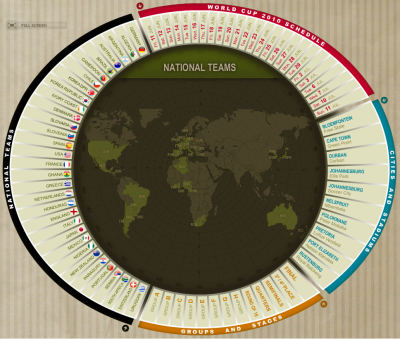
…zuerst gesehen bei vowe.net
Facebook does not get it
There is a subtle difference between „a public“ and „the public“. A public is all of the people on the net that I know and want to share info with, the public is everybody else. Marc Zuckerberg from facebook simply does not get that difference. Wired magazine recently published Facebook’s Gone Rogue. I agree. Facebook zucks.
In a social network I want to be able to choose what and with whom I share infos, Facebook wants to share everything I own with everybody and they want to help me doing that. No thanks. Facebook account deleted.